New ! Free Course Preview Video available
Learn how to PROTECT YOUR SMALL BUSINESS from Cyber Attacks in just one hour — with clear, step-by-step guidance and no technical jargon

Small Business CyberSecurity Essentials is for small business owners who want to reduce cyber risk quickly, confidently, and affordably.
Lifetime access to everything is a one time cost of just $98
Let's Face It...
Cyber attacks are the #1 threat to any small business
❌
Problem #1 :
What really matters?
Business owners know cyber threats are real — but they don’t know what actually matters for their business.
❌
Problem #2 :
Poor cyber guidance
Online guidance is confusing, technically overwhelming, and often contradictory.
❌
Problem #3:
Help needed !
Small business owners don't have time or budget to hire an IT Expert.
Introducing
Small Business Cybersecurity Essentials
✅
Solution #1
This course helps separate real small business risks from distractions, so business owners will learn exactly what deserves attention — and what doesn’t.
✅
Solution #2
Instead of theory or buzzwords, business owners get clear, follow-along action steps. Each key protection is demonstrated on screen, so course students can watch and learn exactly what to do - and then repeat it on their accounts and computers.
✅
Solution #3
Learn how to DIY ! Students learn how to choose the right free or low-cost security tools for any small business with clear, actionable setup steps.
Plus Much More!
Scroll down to see everything course students get lifetime access to...

"Love this course !
Clarke definitely knows his stuff and he's great at teaching cybersecurity fundamentals in plain English. Great course for small business owners who (like me) are short on time" -
Mark H., franchise owner
"The on-screen demonstrations made it easy for me to see what to do, and what tools to use". - Brandon R, pest control company.
"I no longer get anxiety from suspicious emails. I now know what to avoid" - Heather W, Personal Chef
Small Business CyberSecurity Essentials
What students learn :
Module 1 : Cybersecurity Basics
What cybersecurity actually means for small businesses.
Why small businesses are prime targets for cyber attacks
The most common cyber threats putting small business at risk right now
The real financial and operational impact of a cyber incident
The biggest cybersecurity myths that leave small businesses exposed
How this course will guide students step-by-step to protect their business

Module 2 : Modern Password Security
Why weak and reused passwords put small businesses at serious risk
How attackers steal and reuse passwords without “hacking”
What actually makes a password secure (and common mistakes to avoid)
Why reusing passwords across accounts is so dangerous
How a password manager protects businesses and saves time
On-Screen Demo: Setting up and using a password manager step by step

Module 3 : Phishing and Scam Protection
Why phishing emails are the #1 way small businesses get compromised
The most common phishing tactics attackers use today
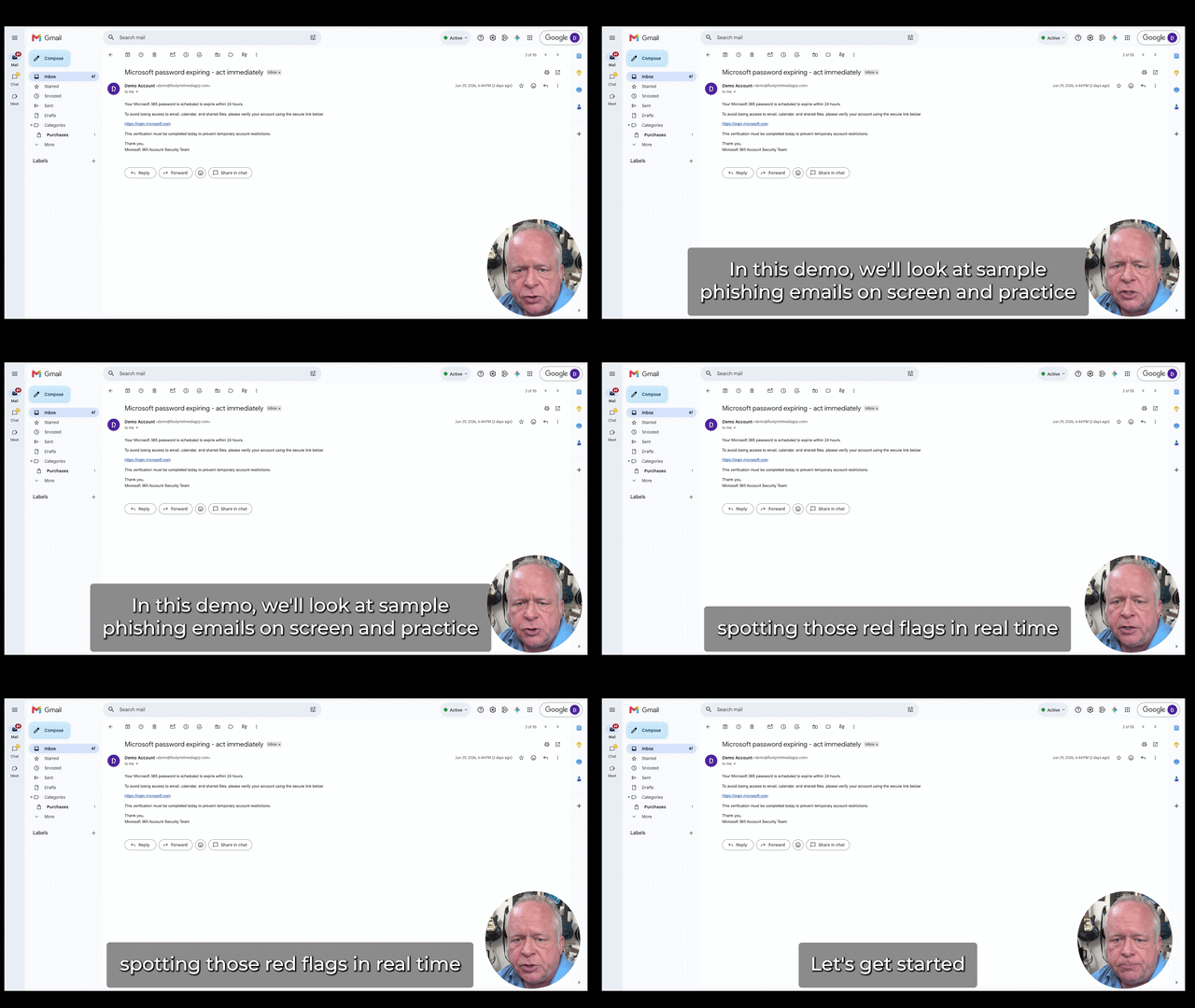
How to quickly spot red flags in emails before clicking anything
What to do if someone clicks a link or open a suspicious email
How to protect yourself from SMS phishing and QR code phishing
On-Screen Demo: Real phishing examples and exactly how to handle them
Module 4 : Multi Factor Authentication and Account Security
Why email is the single most important account to protect
How attackers use email access to take over businesses

What multi-factor authentication really is and why it matters
Comparison of different types of MFA technology and which you should use and why.
On-Screen Demo: Turning on MFA and locking down critical accounts
Module 5 : Device Security : Phones, Laptops, and Tablets
Why unsecured devices are an easy entry point for attackers
The most important security settings to enable on common business devices
How to protect business data if a device is lost or stolen
Keeping devices updated without breaking workflow
Simple steps to reduce risk when using public Wi-Fi
On-Screen Demo: Setting up and using a Virtual Private Network (VPN)

Module 6 : Protecting and Recovering Your Business Data
Protect the business data you can’t afford to lose — customer files, contracts, financial records, photos, emails, and more.
Understand how ransomware works and the practical steps that can reduce the damage if your business is ever targeted.
Learn why cloud storage is safer than keeping important files on a single computer or device.
Discover the important difference between cloud syncing and true file recovery — and why that distinction matters.
Learn how built-in recovery tools like version history and deleted-file restoration can save your business after a mistake or attack.
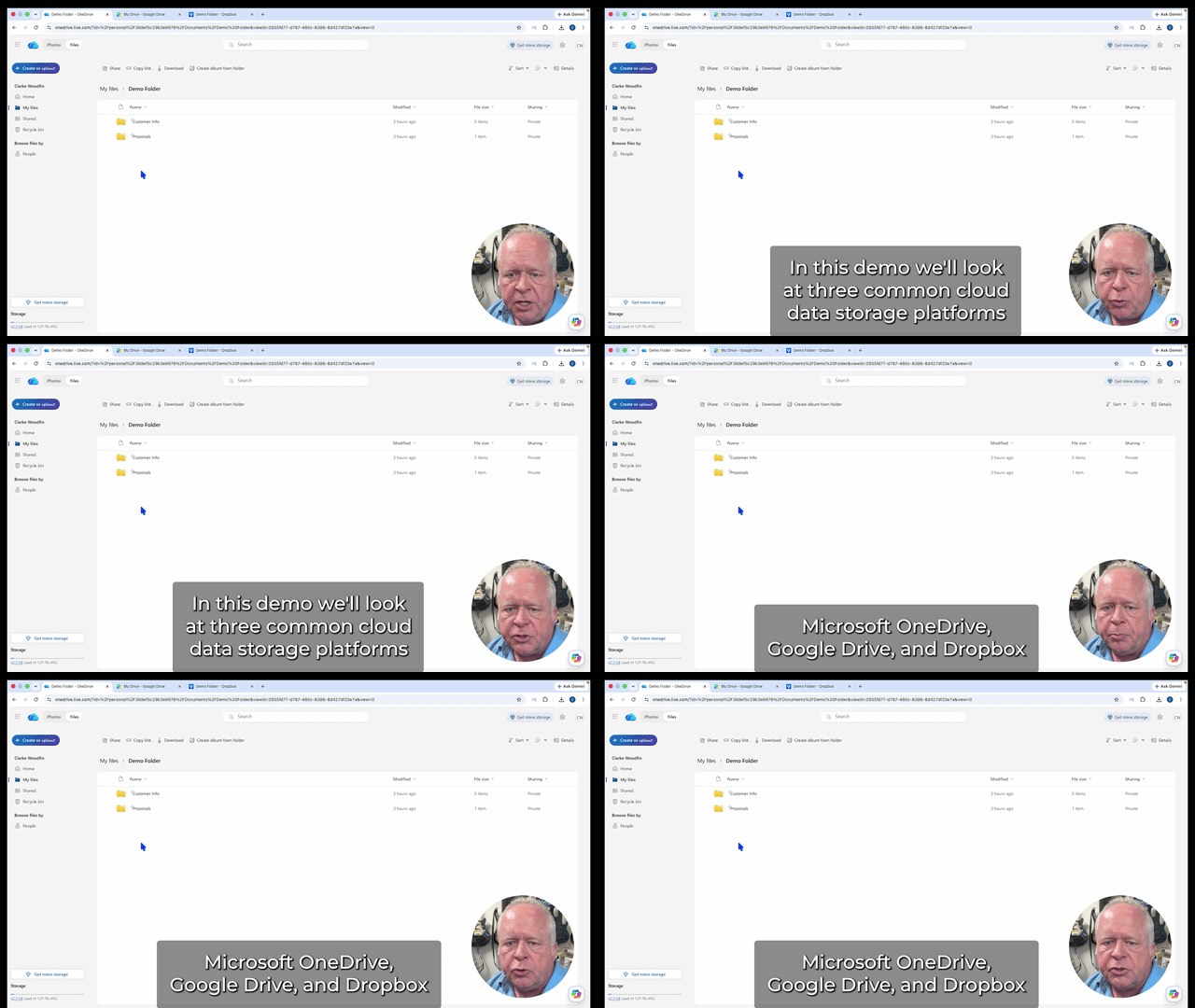
On-Screen Demo : Watch a real-world demonstration of recovering changed or deleted files using Google Drive, Microsoft OneDrive, and DropBox
Additional Course Benefits
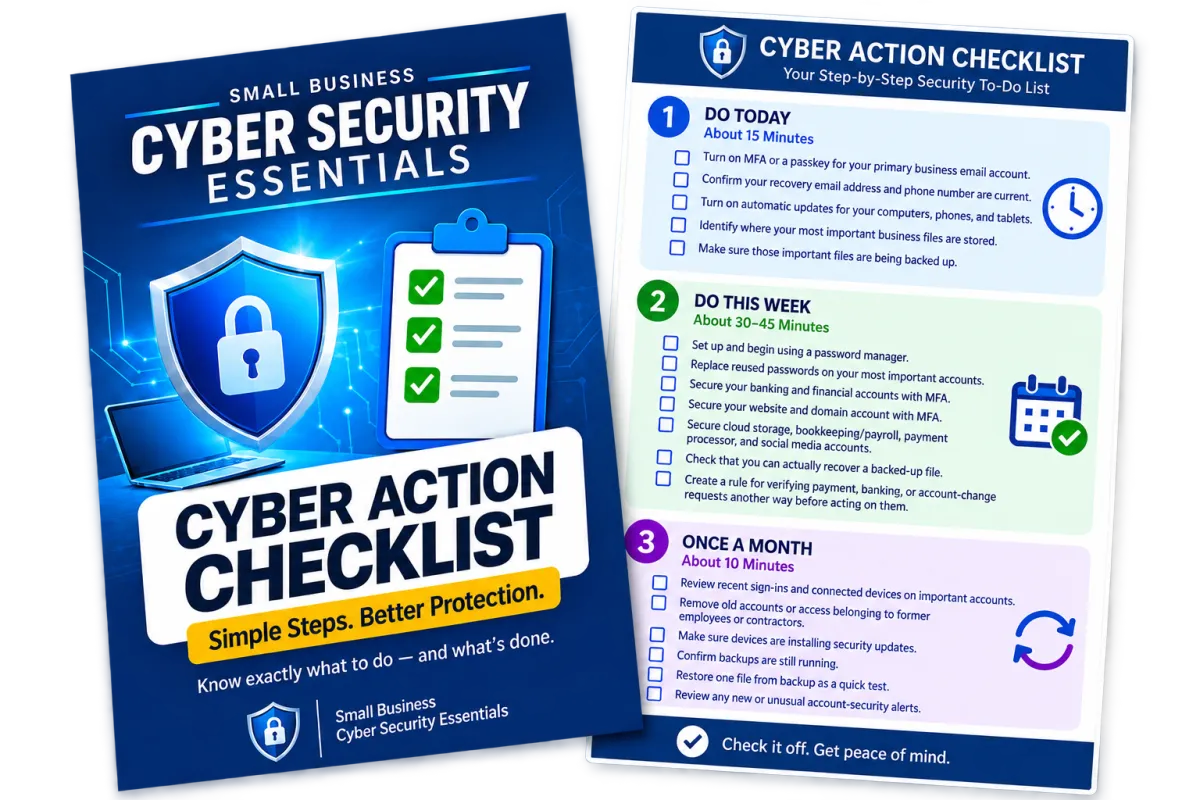
Free Cybersecurity Action Checklist! A simple, step-by-step downloadable checklist to help you put the course’s essential cybersecurity protections into action for your business.
Access to Private Community Membership: Ask questions, get clear answers, and connect with other small business owners — without second-guessing or endless research. It's on a private portal, not Facebook.
Customized Course: Students who join will help drive updates and changes to the course.
Meet Your Instructor
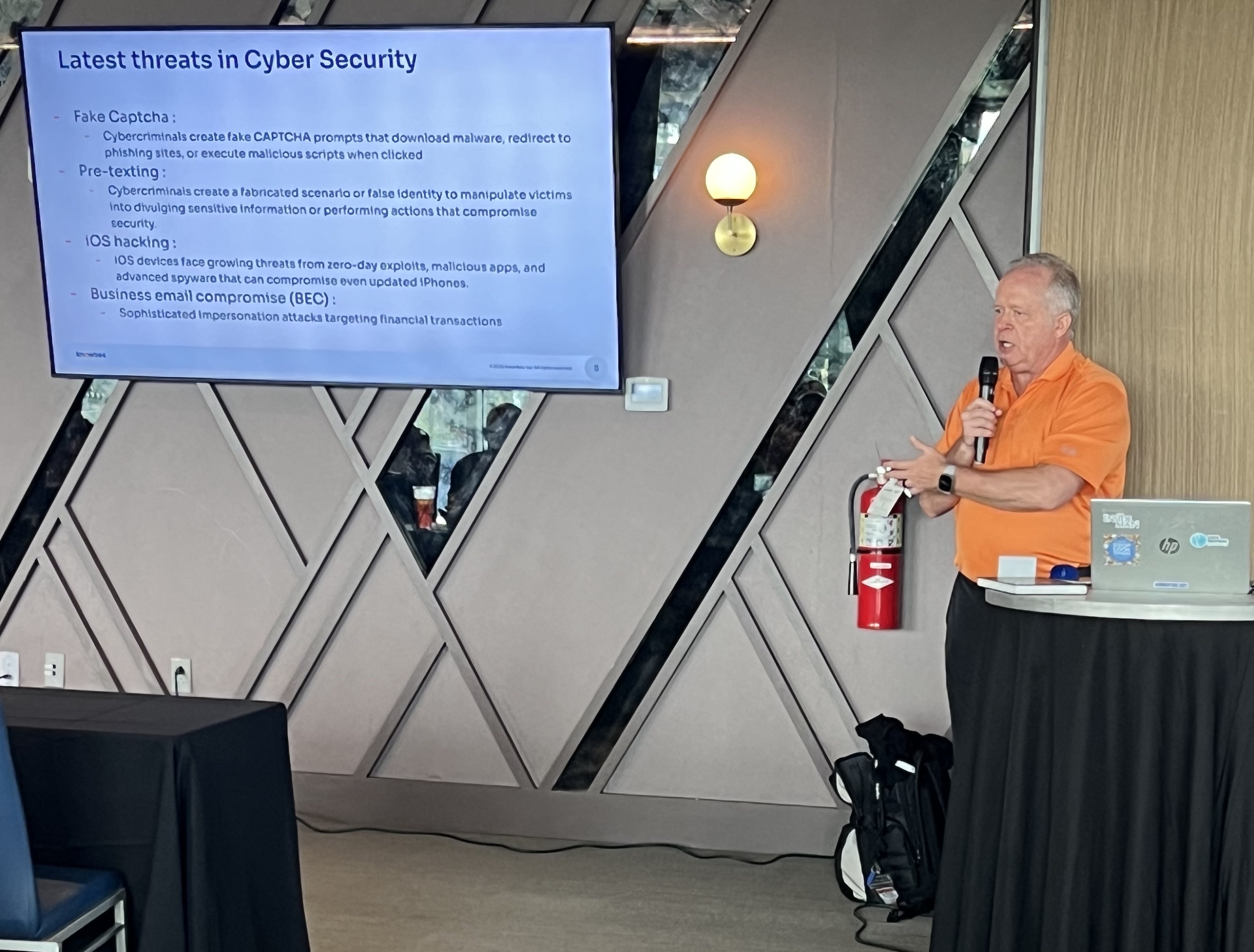
My name is Clarke Woodfin, and I’ve spent my entire career in the Information Technology industry, specializing in cybersecurity, data protection, and data management. I’ve taught courses on data protection, cybersecurity fundamentals, firewalls, and practical cybersecurity strategies for small businesses — all based on real-world experience, not theory.
I’m independent, not sponsored, and not affiliated with big tech vendors. Everything I teach is focused on what actually works for small businesses: clear guidance, practical tools, and security decisions you can trust without unnecessary complexity.
It was only a few years ago that cybersecurity was a non issue. Even within the IT industry, many common practices were treated casually — reused passwords, weak security habits, and little attention to device or network protection. As cybercrime rapidly increased, those habits became real risks. Those of us working in IT were forced to adapt quickly, developing better security practices and a much clearer understanding of what actually works. That real-world shift is what this course is built on.
Over the years I’ve seen how disruptive and stressful cyber incidents can be for small business owners — lost data, financial strain, and long recovery periods caused by simple, preventable issues. Those experiences shaped how I think about security and why I care so much about getting it right.
Helping business owners understand cybersecurity in a clear, practical way has become important to me. I believe security shouldn’t feel intimidating or overwhelming, and that with the right guidance, anyone can make smart, confident decisions to protect their business, including you !
Frequently Asked Questions
How long do I have access to the course & when does it start?
You'll get immediate access as soon as your payment is processed. You'll get an automated email with login information and instructions on how to get into the course, and how to join the private student community. A one time payment gives you lifetime access, including free access to additional or updated course materials, as cybersecurity threats and protections continue to evolve. You'll be able to start and stop the course at any point and your progress will be saved. Most lessons are around 2 minutes long, so it's easy to fit the course into your schedule.
Can't I learn all of this on Youtube or Google search?
-It's possible, but that’s exactly how most small business owners stay exposed.
-Free content is scattered, often outdated, and rarely built for small businesses. It leaves business owners guessing which advice matters, which tools to trust, and what might be missed.
-This course gives students a clear, step-by-step path, live demonstrations, and practical tools to lock down accounts and devices quickly — without weeks of research or dangerous blind spots.
-Cyber attacks don’t wait for business owners to finish researching. This course helps students take action now.
Do students need to have any technical knowledge before starting?
No ! Small business cybersecurity isn't complicated. The fundamentals are simple, practical, and easy to understand when they’re explained clearly — and that’s exactly how this course is taught.
Is there a guarantee?
Absolutely! Small Business CyberSecurity Essentials has a 14 Day Satisfaction Guarantee. If you are not completely SATISFIED by the Small Business CyberSecurity Essentials course, then contact us within 14 Days for a full refund, no questions asked!